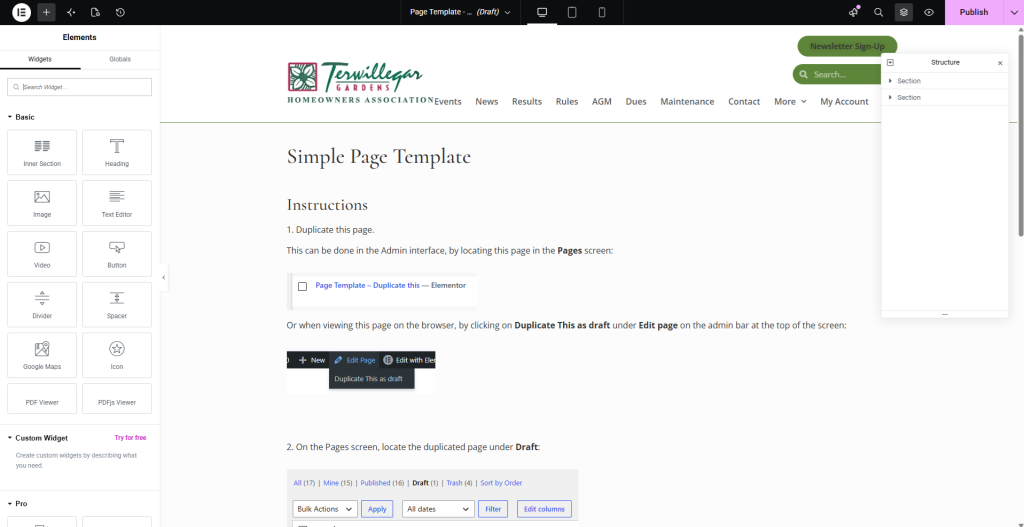
Note: You can use these instructions to duplicate any page.
If an existing page has a layout that you’d like for a new one, it’s often easier to duplicate and edit it than to start from scratch.
1. Duplicate this page.
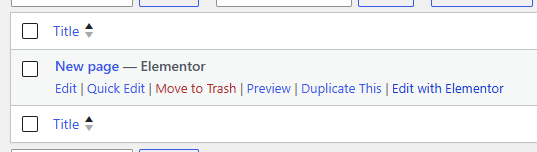
This can be done in the Admin interface, by locating this page in the Pages screen:
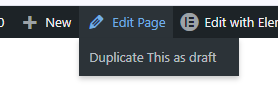
Or when viewing this page on the browser, by clicking on Duplicate This as draft under Edit page on the admin bar at the top of the screen:
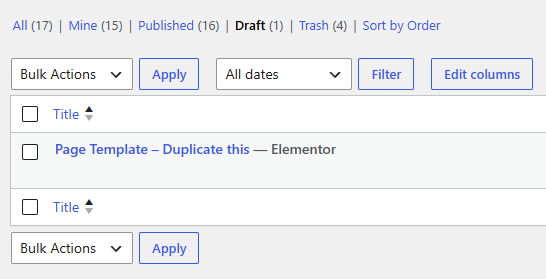
2. On the Pages screen, locate the duplicated page under Draft:
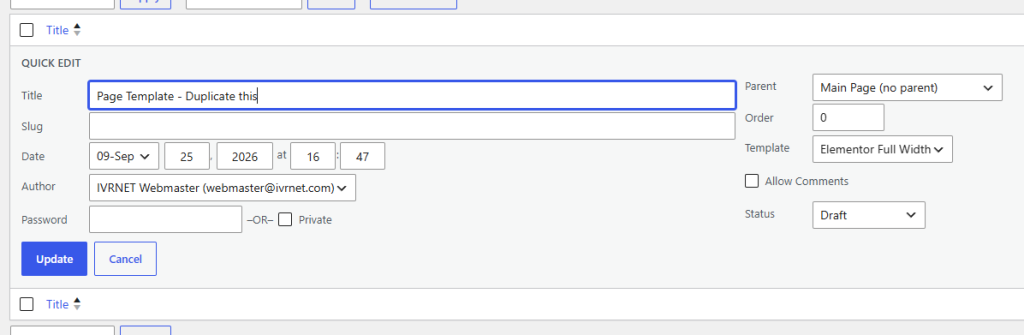
3. Click Quick Edit to change the page’s Title to the desired title and click Update:
4. Click Edit with Elementor:
5. Edit the page and click Publish when you’re done.
Terwillegar GardensHomeowners AssociationBox 336, 14032 – 23 AvenueEdmonton, Alberta T6R 3L6
TGHA Administrator Contacttriona@cosgravemanagement.com